
Coaches
A tool that lightens the load for coaches and lets them focus on training players
ProTrainUp supports coaches in their daily work, simplifies training organization, monitors player results, and facilitates data-driven decision-making. The system automates repetitive tasks, allowing the coach to concentrate on training and player development.
Communication
Communicate in one place
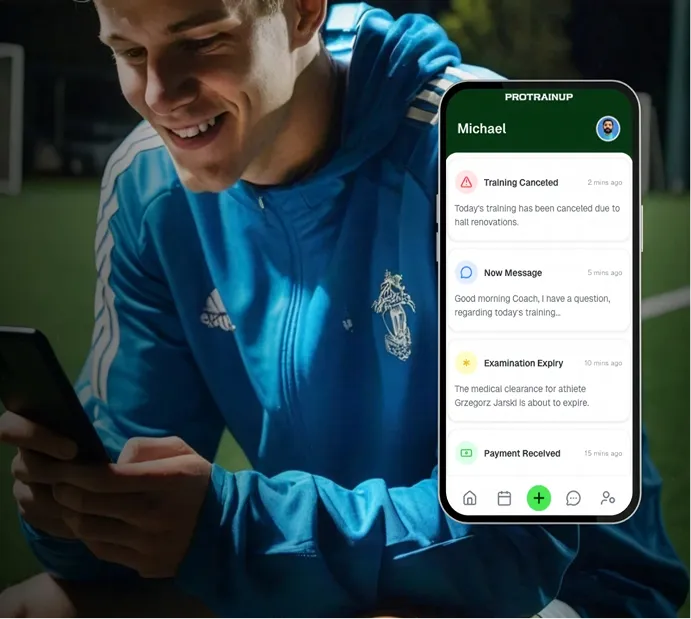
The built-in communicator allows for individual and group conversations with players and parents.
- Full communication controlAll conversations are available within a single system.
- Access to conversation historyYou have constant access to the conversation archive.
- Organized communicationEliminate information chaos and lost messages.
Virtual Locker Room
Use the virtual locker room and team board
The virtual locker room enables the exchange of files, photos, videos, and information within the team.
- Greater player and parent engagementEveryone stays up to date with team information.
- Organized materialsAll files are available in one place.
- Efficient communicationComments and reactions streamline the exchange of information.
Training Outlines
Create training outlines online
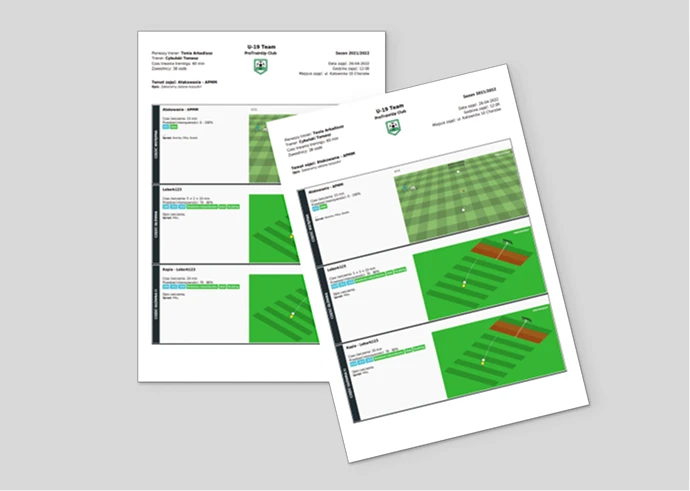
The system allows for creating, editing, and sharing training plans in digital form, with the option to export to a PDF compatible with PZPN requirements.
- Intuitive creation and editingCoaches can quickly update plans based on current needs.
- Effective collaboration between coachesShared plan creation increases training consistency.
- Outlines for certificationOutlines can be exported to a PDF file compliant with PZPN certification requirements.
Graphics and Animations
Create training drawings and animations
The creator enables the preparation of tactical visualizations and exercise animations.
- Professional exercise visualizationCreated exercises can be easily exported and shared with others.
- Clear message for playersAnimations increase the effectiveness of learning exercises.
- Material reusabilityMaterials can be easily attached to outlines and repeated in different training units.
Medical Exams
Monitor medical exam validity
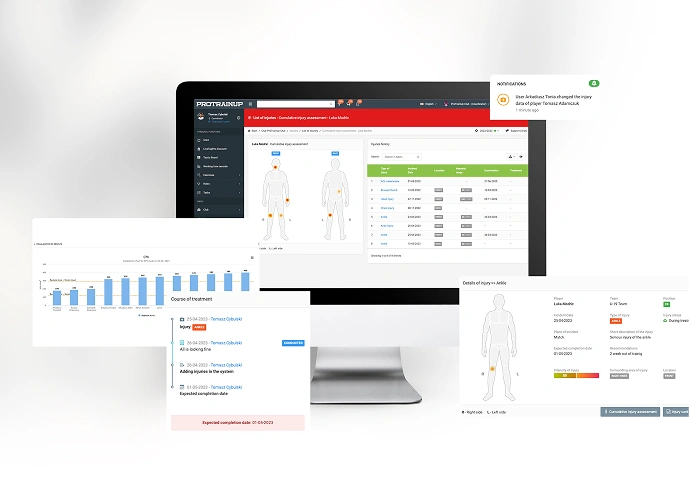
The system allows for tracking exams and provides automatic reminders for upcoming deadlines.
- Confidence in deadline trackingMinimizes the risk of expired medical exams.
- Up-to-date player health infoThe coach always has access to the necessary data.
- Time savingsNo manual document checking, allowing more focus on training.
Fatigue analysis
Analyze player fatigue
Daily, post-training, and post-match surveys allow for monitoring player fatigue and well-being.
- Early detection of overtraining riskEnables quick reactions and adjustment of training loads.
- Individual adjustment of training loadsIncreases training effectiveness.
- Analysis of player performance trendsCoaches can monitor the development and health of the group over time.
Schedule and Journal
Manage the team calendar and journal
Each team has its own calendar, journal, and dedicated team space.
- Clear schedule for coach, parent, and playerEverything is accessible through the mobile app.
- Mobile device calendar syncFacilitates the planning of training and events.
- Streamlined team organizationEverything in a dedicated team space.
Attendance
Control training attendance
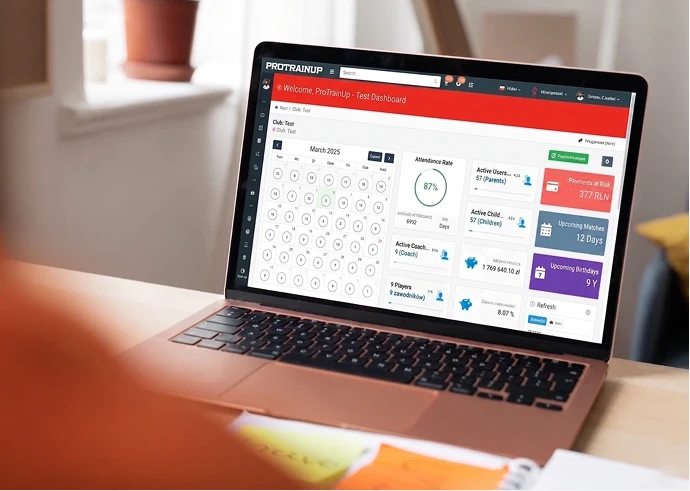
The system allows for checking attendance and early reporting of absences by the player or parent.
- Attendance-based training planningKnowing absences in advance makes it easier to plan the session.
- Full attendance recordsAttendance is visible in a clear table ready for export.
- Individual player attendance analysisAll attendance data is available in the player profile.
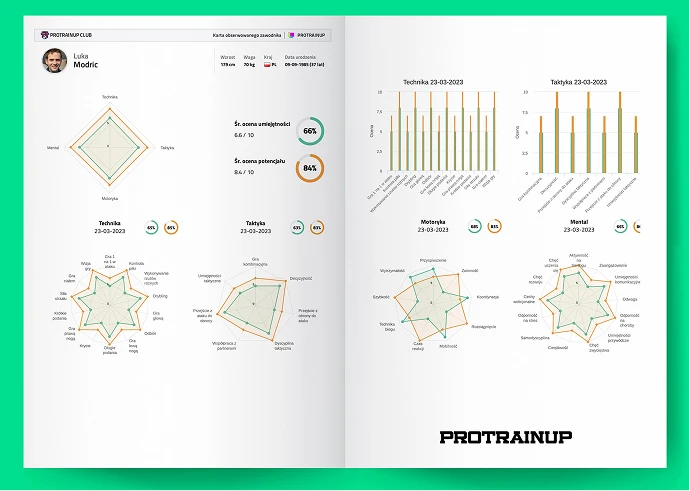
Skill Assessment
Evaluate player skills
The module allows for assessing any skills and presenting them in the form of charts.
- Monitoring player progress over timeRegular assessment allows for comparing results and observing development.
- Clear feedback for players and parentsAssessments can be exported as a clear PDF file.
- Optimal squad decisionsThe module makes it easier to compare player skills.
Tests
Analyze test results
The module enables entering and comparing fitness test results. Coaches can create various tests and monitor player progress.
- Tracking real player progressEasy to check the effects of training.
- Data comparison between playersFacilitates the assessment of individual progress.
- Support in planning training loadsThe coach can adjust exercise intensity to the skill level.


„Our Academy's coaches can easily plan training sessions and schedule classes over a longer time horizon.”
Agata Żyśko
Management Board Office Manager, Avia Świdnik
Do you have questions? We're here to provide the answers.
Whether you're just getting started or already using our system, here you'll find answers to frequently asked questions and tips on how to make the most of ProTrainUp's features.
ProTrainUp is an online system that supports sports clubs in both sports areas, such as training, competitions, tests, and examinations, as well as administrative areas, such as fees, recruitment, class registration, schedules, and communication.
To log in to the system for the first time, you must have an account created in the system. The way the account is created depends on the role in the system. For coaches with individual licenses and those setting up a club demo account, the account is created independently at this link.
In the case of club licenses, access for coaches, parents, and players is issued by club administrators. Parents and players never create accounts for themselves independently.
In the case of club licenses, access for coaches, parents, and players is issued by club administrators. Parents and players never create accounts for themselves independently.
If you forget your password, you can quickly reset it at this link.
Yes, the ProTrainUp system is also available through a mobile application, which you can download from this page.
Yes, the ProTrainUp system is under constant supervision of the Data Protection Officer and undergoes regular data security audits. Thanks to our own development team, the system is constantly monitored and developed to ensure maximum security of our users' data. The system meets all the criteria of the European Parliament and Council Regulation (EU) 2016/679 (GDPR).
Yes, one user can have several different roles simultaneously. For example, they can be a coach, parent, and player on one login and password.
In the browser version of the ProTrainUp system, you change the language by clicking on the flag icon, which is located on the right side of the top menu. In the mobile application, the language can be changed by going to the Settings tab in the left menu.