
Clubs and Academies
One tool that works for both small Clubs and large Academies
ProTrainUp supports small sports clubs and large academies in the daily organization of work, finances, and communication. The system organizes administration, automates repetitive tasks, and allows you to focus on training players and developing the club.
Membership fees
Monitor fees without manual checking
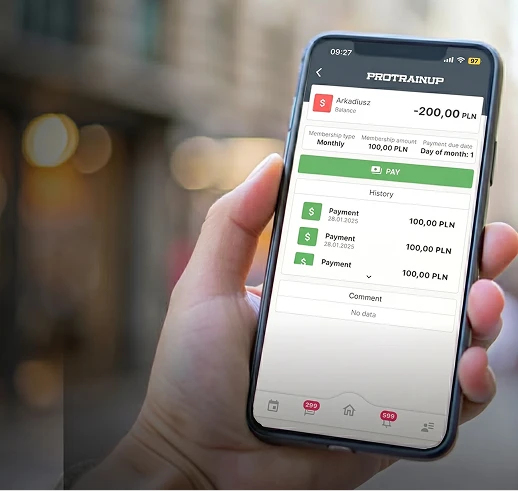
Parents pay through the ProTrainUp app, and the system automatically registers the payment, assigns it to the player, and displays the current fee status in real-time.
- Financial securityPayments under KNF supervision and withdrawals to the club's account at any time.
- Administrative time savingsAutomatically booked payments and reminders about arrears.
- Parent satisfactionFast and intuitive payments and access to transaction history.
Finances and reports
Analyze club finances in clear reports
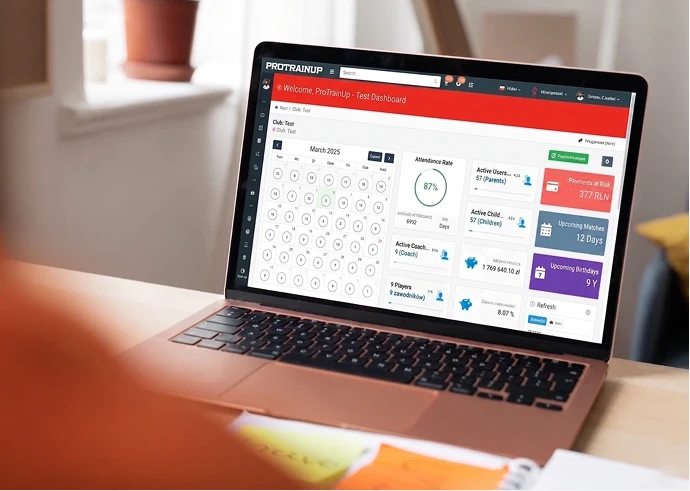
Financial reports present income, arrears, and payments in a transparent form, ready for analysis.
- Budget controlHave a full picture of the club or academy finances.
- Better financial decisionsData supports expenditure and investment planning.
- Ready-made statementsReports can be easily exported for further analysis.
Mass communication
Send mass SMS and e-mail messages
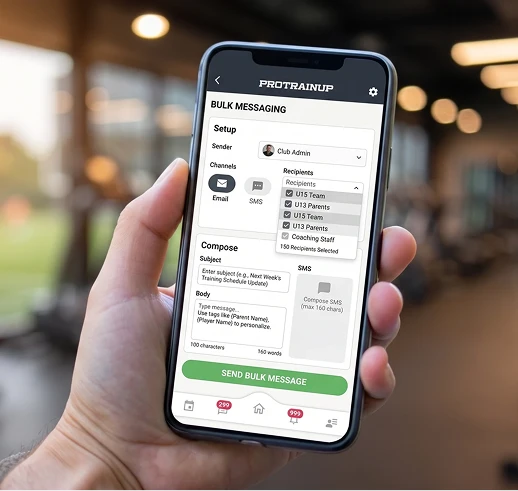
The system enables mass sending of information to selected groups of users.
- Instant communicationImportant information reaches everyone simultaneously.
- Automatic notificationsThe system sends messages automatically in specific situations.
- Message effectivenessSMS and e-mail reach recipients directly.
Announcements and Website
Publish announcements and run the club website
The system offers an announcement board and a simple website that requires no additional maintenance.
- News without extra toolsPublish announcements effortlessly.
- Greater information reachSelected content can be visible publicly.
- Professional imageThe website serves as a showcase for the club or academy.
Facilities and reservations
Manage facilities and training reservations
The system allows for controlling the availability of pitches and training rooms.
- No schedule conflictsReservations eliminate overlapping classes.
- Effective planningThe facility schedule is always up-to-date.
- Full transparencySee the occupancy of each facility in one place.
Coach settlements
Calculate coach work time and salaries automatically
The module automatically counts coach working hours, calculates salaries, and generates pay slips.
- Automatic settlementsThe system calculates the amounts due for payment on its own.
- Clear pay slipsCoaches see a summary of hours and rates.
- Administrative time savingsNo manual calculations or spreadsheets.
Recruitment and surveys
Conduct recruitment and surveys online
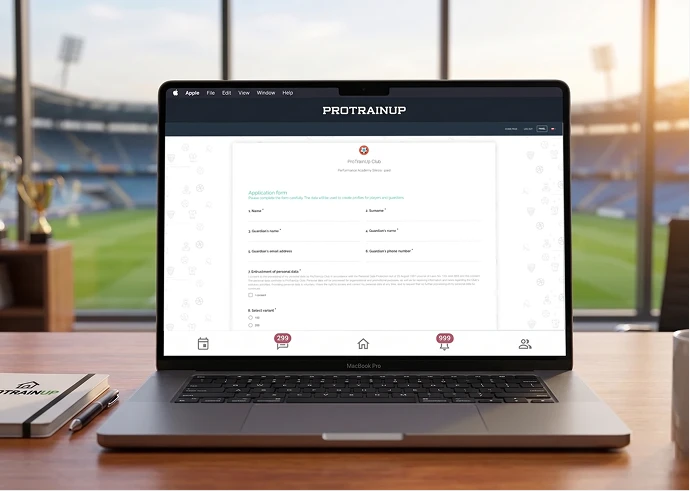
The module allows for electronic recruitment, simple addition of players without data entry, and automatically generates membership declarations.
- Faster recruitmentData is imported without manual rewriting.
- Automatic documentsDeclarations and contracts are created based on applications.
- Orderly processEvery recruitment follows a single pattern.
Scouting and assessment
Support scouting and player assessment
The system enables monitoring and evaluating players through surveys and scouting reports.
- Central talent databaseAll candidate data in one place.
- Consistent reportsStandardized assessment format facilitates comparisons.
- Data-driven decisionsAnalysis supports accurate player selection.
Equipment management
Manage club equipment without chaos
The warehouse module allows managing all club equipment and gear in one place.
- Full resource controlAlways know where a given piece of equipment is.
- Better purchase planningAvoid shortages and surpluses of equipment.
- Administrative time savingsRecords are kept without manual lists and notes.


„After a year of using ProTrainUp, the biggest change has been a significant reduction in time spent on administrative formalities. This allows the club to focus on what matters most - working with athletes and supporting their development.”
Katarzyna Piwowarczyk
Co-owner, Podgórska Sports Academy
Do you have questions? We're here to provide the answers.
Whether you're just getting started or already using our system, here you'll find answers to frequently asked questions and tips on how to make the most of ProTrainUp's features.
ProTrainUp is an online system that supports sports clubs in both sports areas, such as training, competitions, tests, and examinations, as well as administrative areas, such as fees, recruitment, class registration, schedules, and communication.
To log in to the system for the first time, you must have an account created in the system. The way the account is created depends on the role in the system. For coaches with individual licenses and those setting up a club demo account, the account is created independently at this link.
In the case of club licenses, access for coaches, parents, and players is issued by club administrators. Parents and players never create accounts for themselves independently.
In the case of club licenses, access for coaches, parents, and players is issued by club administrators. Parents and players never create accounts for themselves independently.
If you forget your password, you can quickly reset it at this link.
Yes, the ProTrainUp system is also available through a mobile application, which you can download from this page.
Yes, the ProTrainUp system is under constant supervision of the Data Protection Officer and undergoes regular data security audits. Thanks to our own development team, the system is constantly monitored and developed to ensure maximum security of our users' data. The system meets all the criteria of the European Parliament and Council Regulation (EU) 2016/679 (GDPR).
Yes, one user can have several different roles simultaneously. For example, they can be a coach, parent, and player on one login and password.
In the browser version of the ProTrainUp system, you change the language by clicking on the flag icon, which is located on the right side of the top menu. In the mobile application, the language can be changed by going to the Settings tab in the left menu.